


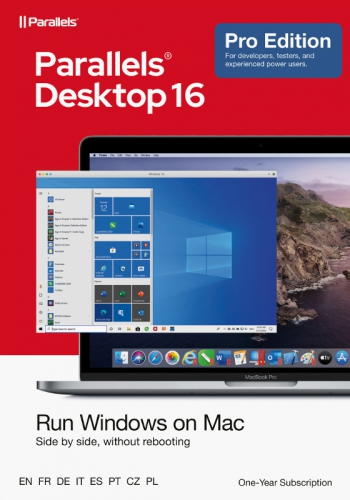
Parallels Desktop v16 int. Mac (1J) Standard
Also available:


100% secure payment
Purchase the software you want easily and securely thanks to SSL encryption in our shop.
Lightning-fast delivery
Email delivery and instant download within 5–30 minutes.
Installation assistance
We offer free assistance via TeamViewer for your initial installation.
Free support
Via chat, phone or email
1 Year Subscription
Parallels Desktop 16 for Mac
Run Windows on your Mac
? Develop and test on multiple operating systems in a virtual machine for Mac
? Access Microsoft Office for Windows and Internet Explorer
? Fast ? Windows applications run on your Mac without slowing it down
? Quickly move files, applications and much more from a PC to a Mac
Fast, powerful and simple
Whether you need to run Windows programs that don't have Mac versions, or you're switching from a PC to a Mac and need to transfer your data, Parallels Desktop gives you everything you need.
Perfectly integrated
Use Windows and macOS® side by side (no reboot required) on your MacBook®, MacBook Pro®, iMac®, iMac Pro®, Mac mini® or Mac Pro®. Share files and folders, copy and paste images and text, and move files between Mac and Windows applications.
Easy setup
Parallels Desktop automatically detects what is needed so you can get started within minutes. If you need Windows, you will be prompted to download and install Windows 10 or select your existing Windows, Linux, Ubuntu, or Boot Camp® installation.
Blazingly fast
Graphically intensive and demanding Windows programs run effortlessly without slowing down your Mac. Run the most demanding applications like Adobe® Photoshop®, Visual Studio®, SketchUp® or AutoDesk Revit.
View options
Hide Windows while still using Windows applications in Coherence mode. If the Mac is new to you, you can set Windows to occupy the entire screen so it looks just like you're using a Windows PC.
What's new?
macOS 10.15 - Compatible with Catalina
Parallels Desktop 15 is compatible with the upcoming macOS® Catalina including support for Sidecar. Support for additional Catalina features is currently in development and will be available around the time macOS 10.15 is released. If you purchase Parallels Desktop 15 or upgrade, you will be ready for these updates.
Version 15 supports macOS Catalina 10.15 (after its release), Mojave 10.14, High Sierra 10.13 and macOS Sierra 10.12.
Graphics - DirectX 11
Version 15 supports DirectX 9, DirectX 10 and DirectX 11 ? all via Apple Metal®. * Now that DirectX 11 is available, you can run graphics-intensive applications and games like Autodesk 3ds Max 2020, Lumion, ArcGIS Pro, Master Series, FIFA 19, Age of Empires, Fallout 4 and more!
*macOS Mojave is required; macOS Catalina (when released) is recommended for best performance and required for certain applications.
Mac integration - Email files from Finder
Parallels Desktop 15 now supports Finder's Share menu. You can send files from macOS using a Windows email application. Just right-click a file in Finder and choose Share > Send with Windows Email Application. The file will be sent by the email client set as default in Windows.
Mac integration - Screenshot preview to Windows
Drag and drop like never before. Apple® changed the screenshot method in Mojave and Catalina and you may find that you can't use their preview in Windows applications. Parallels Desktop 15 now enables this and also offers the ability to drag images directly from Safari, Photos and other Mac applications.
Apple - Apple Pencil and Sidecar
Use Apple Pencil® in your favorite Windows applications with additional tilt and eraser support. With Sidecar you can use your iPad as a second display to extend your Windows applications.
More connections - Bluetooth
Parallels Desktop 15 supports an additional category of Bluetooth devices. You can now connect the Xbox One controller, the Logitech Craft keyboard, the IRISPen, as well as some IoT devices (e.g. smart home devices and smartbands). In addition, support for Bluetooth Low Energy gives you the ability to play any Xbox game in a virtual Windows 10 machine (VM).
Operating system compatibility - Linux
A wide variety of Linux distributions are supported in virtual machines. Version 15 ships with Virtio GPU, seamless mouse, dynamic resolution and multi-monitor support (even without Parallels Tools).
Work faster - Performance
Enjoy significant performance improvements in Parallels Desktop 15. Microsoft Office applications start up to 80% faster and the Parallels Desktop user interface is also faster and more responsive. Enjoy up to 15% faster 3D graphics (best results seen in the 3DMark13 Cloud Gate test with AMD Radeon graphics).
Parallels Desktop now offers support for the Apple Metal® API with improved graphics. As part of the transition to Metal, Parallels Desktop 15 supports DirectX® 11, 10 and 9 on Metal and provides customers with better performance than ever before.
| Compare editions | Standard Edition | Pro Edition |
| Download and install Windows 10 with one click | yes | yes |
| Optimized for macOS Catalina (10.15) | yes | yes |
| Custom Touch Bar for Windows applications | yes | |
| Integration with Chef/Ohai/Docker/Vagrant | yes | |
| Network Conditioner to simulate speeds and tests | yes | |
| Microsoft Visual Studio plug-in | yes | |
| Debug, delete a VM or start an SSH session | yes | |
| Premium support with 24/7 availability by phone and email | 30 days | yes |
| Virtual RAM for each VM | 8 GB vRAM | 128 GB vRAM |
| Virtual CPUs for each VM | 4 vCPUs | 32 vCPUs |
-Opened software packages are non-returnable-
Product safety details
Responsible person for the EU
Responsible for this product is the economic operator based in the EU:
Unfortunately, we currently have no contact information available.
You can also find the responsible economic operator for the product on the product itself, its packaging or in a document accompanying the product.