


Nero Platinum 365 1 PC - 1 Jahr ESD
Delivery time: 0-15 min.


100% secure payment
Purchase the software you want easily and securely thanks to SSL encryption in our shop.
Lightning-fast delivery
Email delivery and instant download within 5–30 minutes.
Installation assistance
We offer free assistance via TeamViewer for your initial installation.
Free support
Via chat, phone or email
Nero 365, Full version, Download
The multimedia fox at your side
The multimedia suite in a new design brings you brand-new features and numerous improvements that make everyday digital life child's play.
What's new?
The Ultimate 4K Multimedia Suite with 7 programs!
- Nero DuplicateManager, Nero Video, Nero MediaHome, Nero BackItUp, Nero Recode, Nero Burning ROM + Audials Music Recorder
- Always have your data in the correct format and stream and organize your media
- Create videos in 4K like a professional
Description
The Ultimate 4K Multimedia Suite with 7 programs (for 1 PC, perpetual): Nero DuplicateManager - Don?t waste space on your hard drive: now also detect similar pictures and clean up. Nero Video - Create professional videos & slideshows in all formats quickly, easily and in the highest output quality as movie files or video discs. Nero MediaHome - Take advantage of the best importing, organizing, playback & streaming for music, video, photos, slideshows, movies, TV series and disc playback.
Nero BackItUp - Back up your valuable data quickly & easily to external hard drives, optical media and now even to your cloud. Nero Recode - Convert video & music super fast into all standard formats, including 1-click disc ripping to connected mobile devices. Nero Burning ROM - World-class burning and copying of data, videos, photos & music to CD, DVD and Blu-ray Disc with the highest security standard. Audials Music Recorder - The clever internet radio recorder: record songs from internet radio stations for free as MP3 files.
NEW in Nero Platinum 365
- Nero Start Launcher: New interactive start area with innovative use-case-based entry help
- MediaHome: New improved intelligent face recognition for even faster & more accurate detection of portraits, people & groups
- SecurDisc 4.0: Highest data security, now also for USB sticks and SD cards
- PhotoSnap & Effects: Create unique moods in your images using a variety of photo filters
- USBxCOPY: The easiest way to duplicate USB sticks quickly & reliably
- Face Beautifier: With intelligent AI, retouch portrait photos like the pros with a single click
4 programs in one suite
Your smart multimedia companion
Four optimally coordinated programs let you master your multimedia everyday life.
Import, Create & Edit
Nero Video - Play your videos, pictures and music from almost any device on the computer, drag them onto the start screen and create video-story-ready movies and slideshows with 1 click. Complete with music, effects, opening and closing, you can share your films in no time. In the express editing mode you can quickly create projects with creative effects, set transitions, use great titles and let numerous templates do the work for you. With the 1-click remover for black bars you can make your films fit for the widescreen TV in the living room. Individual scenes from a long video can also be exported in one go. Easily create top-quality movies and slideshows as well as video DVDs and Blu-ray Discs with menus from your holiday memories and much more.
Organize, Play & Stream
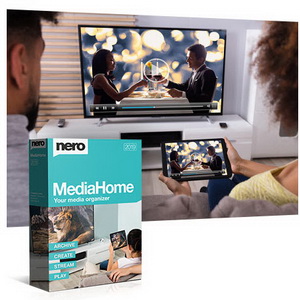
Nero MediaHome - Stop the endless search for the right file - Nero MediaHome, the media center, ensures that you can easily organize, play and integrate music, videos, photos, feature films and TV series into your projects. Now you can also access your OneDrive online files (Files On Demand) and download them directly if you wish. This saves you a lot of storage space on your PC while keeping your photos, videos and music available for your projects at any time. Play your personal archive of films and TV series including titles and covers and stream movies wirelessly to the TV in the living room.
Rip & Convert
Nero Recode - Whether video DVDs*, audio CDs*, video and audio files* - Nero Recode converts almost anything into the video and audio formats that suit you. You can conveniently create job lists for your planned conversions. Brand new: convert your video files specifically for use on video discs (DVD-Video?, AVCHD, Blu-ray Disc?). Also especially easy is the 1-click conversion of video discs and audio CDs directly to your mobile device: connect the device, select titles, transfer, done. The newest mobile devices are supported. Thanks to Gracenote® you can also sort and play your music titles on your mobile device by album cover.
*only for non-copy-protected content
Burn, Copy & Archive
Nero Burning ROM - A class of its own. Whether CD, DVD or Blu-ray Disc?: copy and burn precious data with the proven burning specialist in Nero Standard 2019. It gets even easier with Nero QuickStart, which can now also be launched via drag & drop from the Nero desktop icon. This gets the most important tasks done in no time. With SecurDisc 4.0 including 256-bit encryption, password protection and disc optimization technology you can also be sure of the longevity of your files. Even audio CDs can be burned especially easily and in high quality with automatic sound enhancement and album cover.
System requirements
Minimum system requirements for Nero Standard
- Windows® 7 SP1 Home Premium, Professional or Ultimate (32/64 bit), Windows® 8 (32/64 bit), Windows® 8.1 (32/64 bit)
- 2 GHz AMD or Intel® processor; Windows® 10 (32/64 bit)
- 1 GB RAM
- 5 GB free hard disk space for the standard installation of all components (including templates, content and temporary disc storage)
- Graphics card compatible with Microsoft® DirectX® 9.0
- Drive for burning writable or rewritable CDs, DVDs or Blu-ray Discs
- Windows Media® Player 9 or later
- Internet Explorer 11 or later
- Required third-party components, such as Microsoft Windows® Installer 4.5, Microsoft .NET® 4, Microsoft® DirectX® or Adobe Flash, are delivered with the product or, if not included, downloaded automatically.
- Some services require an Internet connection.
- To verify the serial number when using certain features, an Internet connection may be required. The user bears the costs for the Internet connection.
- DriveSpan App: Android 4.4 or later, iOS 9.3 or later
- Nero AirBurn App: Android 4.0 or later, iOS 6.0 or later
- Nero Streaming Player App and WiFi+Transfer App: Android 4.4 or later, iOS 9.0 or later
- Streaming in highest resolution requires Intel Haswell (i7-4770 or later). It is recommended to leave the streaming setting in Auto mode. If highest-resolution streaming causes system performance problems, simply use a lower quality setting.
Note:
- On 64-bit operating systems, applications are executed in 32-bit emulation mode
- For correct product function, devices must be properly installed and recognized by the operating system.
- It is strongly recommended to install the latest WHQL-certified device drivers.
- Setting up media access server functions requires a computer connected to a local network
Special minimum requirements for video editing and production
- OHCI-compatible FireWire® controller (IEEE® 1394) for DV or HDV? capture
- TV tuner or video capture card for analog and digital video recording
- Up to 50 GB free hard disk space for disc images and temporary files
Minimum requirements for HD video content
- Intel® or AMD dual-core processor with at least 2 GHz
- 2 GB RAM
- To support NVIDIA® CUDA?, AMD App Acceleration or Intel® Quick Sync Video, a compatible graphics card with at least 256 MB video memory is required.
Minimum requirements for OneDrive On-Demand in Nero MediaHome
- OneDrive On-Demand requires the Windows 10 Creators Update (version 16299.15 or later) and OneDrive version 17.3.7064.1005 or later
Special minimum requirements for LightScribe and Labelflash?
- LightScribe-compatible burner and appropriate media
- LightScribe host software must be installed
- Labelflash?-compatible burner and appropriate media
Supported recordable media
- CD-R
- CD-RW
- DVD±R
- DVD±RW
- DVD-RAM
- DVD±R DL
- BD-R
- BD-RE
- BD-R DL
- BD-RE DL
- BD-R TL (BDXL)
- BD-RE TL (BDXL)
- BD-R QL (BDXL)
- BD-RE QL (BDXL)
Supported disc formats
- Data CD (ISO, UDF, ISO/UDF)
- Data DVD (ISO, UDF, ISO/UDF)
- Blu-ray data disc (ISO, UDF)
- SecurDisc CD/DVD/Blu-ray Disc
- Nero DiscSpan (UDF)
- Audio CD
- Mixed-Mode CD
- CD EXTRA
- Nero Image (NRG)
- CUE image ? import only
- ISO image
- Video-CD
- Super Video-CD
- DVD-Video
- DVD+VR ? import only
- DVD-VFR ? import only
- DVD-VR ? import only
- AVCHD? Video
- BDMV-Video
- BDAV ? import only
Supported audio formats and codecs
- Advanced Audio Coding (AAC) elementary stream ? no copying
- MPEG High-Definition AAC (HD-AAC)
- MPEG Layer 3 (MP3/mp3PRO/mp3HD)
- MPEG-4 Audio (MP4, M4A)
- MPEG Audio (MP2, MP2A, MPA, MPA2, M2A)
- Dolby® Digital (AC3)
- Audio Interchange File Format (AIFF, AIF)
- Compact Disc Digital Audio (CDA) ? no encoding
- Ogg Vorbis (OGG, OGM, OGA)
- PCM WAV file, ADPCM Wave file (WAV, WAVE)
- Windows Media? Audio (WMA)
- Free Lossless Audio Codec (FLAC)
- Monkey?s Audio (APE)
- Matroska Audio (MKA)
Supported video formats and codecs
- Advanced Streaming Format (ASF)^
- HEVC/H.265 (MP4, MKV, TS) - playback/import only
- Audio Video Interleave (AVI, NVAVI)
- Digital Video (DV, DVSD)
- QuickTime® Movie (MOV)
- DVD Video Object (VOB)
- MPEG Video (MPG, MPEG, MPE, M1V, M2P, M2V, MOD, MP2V)
- MPEG-2 Transport Stream files (M2TS, M2T, MTS, TS, TOD, TRP)
- MPEG-4 Video (MP4, DIVX)
- MPEG-4 AVC/H264
- Windows Media? Video (WMV)
- Flash Video (FLV)
- Matroska Video (MKV)
- Video CD Movie (DAT)
- AVC Blu-ray Disc video format (BSF)
- Third Generation Partnership Project Movie (3GP)
- DVD Movie Info (IFO)
- Motion JPEG Video (MJPEG)
- MicroMV Video (MMV)
Supported image formats
- Bitmap (BMP)
- Device Independent Bitmaps (DIB)
- Graphics Interchange Format (GIF)
- Icon Image File (ICO)
- JPEG File Interchange Format (JFIF)
- Joint Photographic Experts Group (JPEG, JPG, JPE)
- Picture Exchange (PCX)
- Portable Network Graphics (PNG)
- Portable Pixel Map (PPM)
- Targa Image File (TGA)
- Tagged Image File Format (TIFF, TIF)
- Windows Metafile Format (WMF)
- Portable Bitmap (PBM)
Supported playlist formats
- Moving Picture Experts Group Audio Layer 3 URL/MP3 URL (M3U)
- M3U + UTF-8 (M3U8)
- Playlists File Format (PLS)
- Windows Media® Player Playlists (WPL)
- iTunes Playlists
Nero Recode - supported devices and formats
- DVD-Video (PAL - 25 fps)
- DVD-Video (NTSC - 29.97 fps)
- Blu-Ray Disc/AVCHD (PAL - 25 fps)
- Blu-Ray Disc/AVCHD (NTSC - 29.97 fps)
Supported device profiles (tablets)
- Acer Predator 8
- Apple iPad
- Apple iPad with Retina Display
- Apple iPad Mini
- Apple iPad Mini with Retina Display
- Apple iPad Air
- Apple iPad Air 2
- Apple iPad Pro
- Android Tablet
- Google Pixel C
- Huawei MediaPad M1
- Huawei MediaPad M2
- Huawei MediaPad M3
- Huawei MediaPad M5
- Huawei MediaPad X1
- Hudl 2
- Kindle Fire
- Kindle Fire HD
- Kindle Fire HDX
- Lenovo Yoga Tablet 10 HD+
- Lenovo Yoga 2
- Lenovo Yoga 3
- Lenovo Yoga Tab 3 Pro
- LG G Pad II
- Nexus 7
- Nexus 9
- Nexus 10
- Samsung Galaxy Tab 2
- Samsung Galaxy Tab 3
- Samsung Galaxy Tab 4
- Samsung Galaxy Tab S
- Samsung Galaxy Tab S2
- Samsung Galaxy Tab A
- Samsung Galaxy Tab S3
- Sony Xperia Z2 Tablet
- Sony Xperia Z3 Tablet compact
- Sony Xperia Z4 Tablet LTE
- Microsoft Surface Book 2
- Microsoft Surface 2
- Microsoft Surface 3
- Microsoft Surface Pro 4
- Windows 8 Tablet
- Windows 8 Pro Tablet
- Asus ZenPad 3S
- Asus ZenPad Z8
Supported device profiles (mobile phones)
- Apple iPhone 3G(S)
- Apple iPhone 4(S)
- Apple iPhone 5
- Apple iPhone 6(S)
- Apple iPhone 6(S) Plus
- Apple iPhone 7
- Apple iPhone 7 Plus
- Apple iPhone SE
- Apple iPhone 8
- Apple iPhone 8 Plus
- Apple iPhone X
- Google Pixel
- Google Pixel XL
- Google Pixel 2
- Google Pixel 2 XL
- HTC Droid
- HTC Desire 816
- HTC Desire 826
- HTC One
- HTC One M8
- HTC One M9
- HTC 10
- HTC U12+
- Huawei Ascend G6
- Huawei Ascend P6
- Huawei Ascend G7
- Huawei Ascend P7
- Huawei Ascend P8
- Huawei Ascend P9
- Huawei Ascend P10
- Huawei Ascend P10 Plus
- Huawei Honor 6X
- Huawei Ascend Mate 7
- Huawei Ascend Mate 8
- Huawei Ascend Mate S
- Huawei Ascend Mate 9
- Huawei Ascend Mate 9 Pro
- Huawei Mate 10/10 Pro
- Huawei Mate RS
- Huawei P20/P20 Pro
- LG G Pro 2
- LG G3
- LG G4
- LG G5
- LG G6/G6+
- LG G7
- LG V20
- LG V30/V30S
- Moto G6
- Moto X
- Moto X+1
- Motorola Moto Z Force Droid
- Nexus 4
- Nexus 5
- Nexus 5X
- Nexus 6
- Nexus 6P
- Nokia 5.1
- Nokia 6
- Nokia 6.1
- Nokia 7 Plus
- Nokia 8
- Nokia 8 Sirocco
- OnePlus 3T
- OnePlus 5/5T
- OnePlus 6
- Samsung Galaxy S III
- Samsung Galaxy S II
- Samsung Galaxy S4
- Samsung Galaxy S5
- Samsung Galaxy S6
- Samsung Galaxy S7
- Samsung Galaxy S7 Edge
- Samsung Galaxy S8
- Samsung Galaxy S9/S9+
- Samsung Galaxy Note (2/3)
- Samsung Galaxy Note 4
- Samsung Galaxy Note 5
- Samsung Galaxy Note 8
- Samsung Galaxy Note 9
- Sony Xperia M2
- Sony Xperia X
- Sony Xperia Z2
- Sony Xperia Z3
- Sony Xperia Z4
- Sony Xperia Z5
- Sony Xperia XZ Premium
- Sony Xperia XZ2
- ZTE Grand Memo 2
- ZTE Axon 7
- Android Phone
- Windows 8 Phone
- Windows 10 Phone
Supported game consoles
- PlayStation 3
- PlayStation 4
- PlayStation Portable
- PlayStation Vita
- Xbox 360
- Xbox One
- TV
Supported iPod devices
- Apple iPod classic
- Apple iPod touch 2G/3G
- Apple iPod touch 4G
- Apple iPod touch 5G
Supported file/container import formats*
Video
3GP, ASF, AVI, DIVX, F4A, F4B, F4P, F4V, FLV, M2TS, M2T, MTS, TS, MKV, MOV, MP4, MPE, MPG, MPEG, VOB, M4V, TOD, TRP, WMV, MOD, MPV2, ND, NVAVI, OGM, DV, OGV, OGG, MMV, DAT, IFO, M1V, M2P, M2T, M2V, MMV
Audio channels
MP3, WAV, WAVE, WMA, FLAC, AIFF, AIF, AMR, M4A, APE, OGA, MP2, AC3, MKA, OGG, MP4, MPE
Supported file/container export formats
Video
3GP, AVI, FLV, MKV, MPEG-2M, MPEG-4, WMV
Audio
AIFF, APE, FLAC, HD-AAC, MP3, MP3-HD, MPEG-4, OGG VORBIS, WAVE, WMA
Download link:
https://www.nero.com/download.php?id=ncore2021_full_installer
Product safety details
Responsible person for the EU
Responsible for this product is the economic operator based in the EU:
Nero AG
Rüppurrer Straße 1a
76137 Karlsruhe
Germany
webmaster[at]nero.com
https://www.nero.com/eng/support/index.php
Attention: By clicking this link/these links you leave tralion.de and go to an external website. Please note that we are not responsible for their content.
You can also find the responsible economic operator for the product on the product itself, its packaging or in a document accompanying the product.